imshow#
- named_arrays.plt.imshow(X, *, axis_x, axis_y, axis_rgb=None, ax=None, cmap=None, norm=None, aspect=None, alpha=None, vmin=None, vmax=None, extent=None, **kwargs)#
A thin wrappper around
matplotlib.pyplot.imshow()for named arrays.- Parameters:
X (na.AbstractArray) – The image data.
axis_x (str) – The name of the horizontal axis.
axis_y (str) – The name of the vertical axis
axis_rgb (None | str) – The optional name of the color axis.
ax (None | matplotlib.axes.Axes | na.AbstractArray) – The instances of
matplotlib.axes.Axesto use. IfNone, callsmatplotlib.pyplot.gca()to get the current axes. If an instance ofnamed_arrays.ScalarArray,ax.shapeshould be a subset of the broadcasted shape of*args.cmap (None | str | matplotlib.colors.Colormap) – The Colormap instance or registered colormap name used to map scalar data to colors.
norm (None | str | matplotlib.colors.Normalize) – The normalization method used to scale the data into the range 0 to 1 before mapping colors.
aspect (None | na.ArrayLike) – The aspect ratio of the Axes.
alpha (None | na.ArrayLike) – The alpha blending value that ranges between 0 (transparent) and 1 (opaque).
vmin (None | na.ArrayLike) – The minimum value of the data range.
vmax (None | na.ArrayLike) – The maximum value of the data range.
extent (None | na.ArrayLike) – The bounding box in data coordinates that the image will fill. The logical axis name of the bounding box should be
f"{axis_x},{axis_y}kwargs – An additional keyword arguments that are passed to
matplotlib.pyplot.imshow().
- Return type:
na.AbstractArray
Notes
The colors of
matplotlibcarry no unit, so X is drawn as bare values in its own unit, and vmin and vmax are converted to that unit before use. extent may be an instance ofastropy.units.Quantity, which is converted to the unit of each axis, seenamed_arrays.plt.Examples
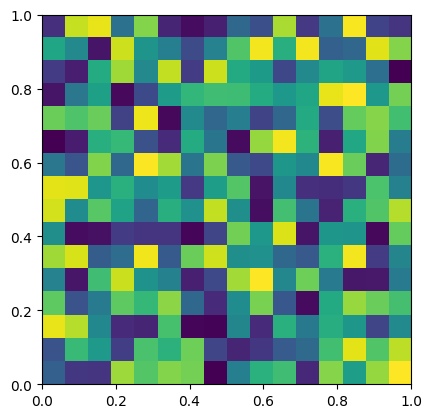
Plot a random 2d array.
import numpy as np
import matplotlib.pyplot as plt
import named_arrays as na

# Define the horizontal and vertical axis names of the image
axis_x = "x"
axis_y = "y"

# Define a random dummy array to plot
a = na.random.uniform(
    low=0,
    high=1,
    shape_random={axis_x: 16, axis_y: 16},
)

# Create the plot axes
fig, ax = plt.subplots()

# Plot the dummy array
na.plt.imshow(
    a,
    axis_x=axis_x,
    axis_y=axis_y,
    ax=ax,
    extent=na.ScalarArray(
        ndarray=np.array([0, 1, 0, 1]),
        axes=f"{axis_x},{axis_y}",
    ),
);
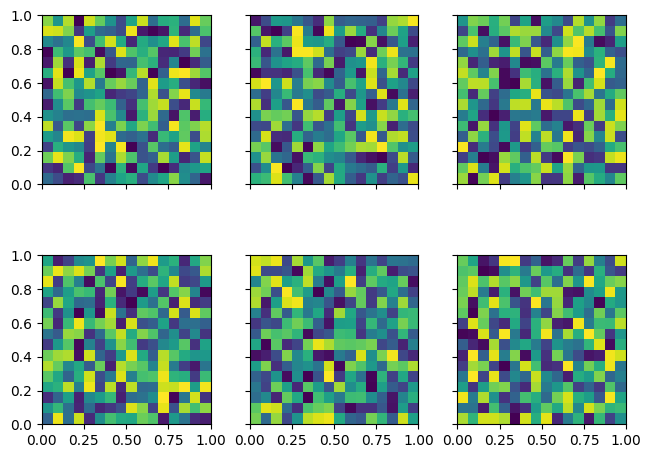
Plot a grid of 2d dummy arrays
import numpy as np
import matplotlib.pyplot as plt
import named_arrays as na

# Define the horizontal and vertical axis names of the plot
axis_x = "x"
axis_y = "y"

# Define the row and column axis names of the plot
axis_rows = "row"
axis_cols = "col"

# Define the number of rows and columns of the plot
num_rows = 2
num_cols = 3

# Define a random dummy array to plot
a = na.random.uniform(
    low=0,
    high=1,
    shape_random={
        axis_rows: num_rows,
        axis_cols: num_cols,
        axis_x: 16,
        axis_y: 16,
    }
)

# Define the array of matplotlib axes
fig, axs = na.plt.subplots(
    axis_rows=axis_rows,
    nrows=num_rows,
    axis_cols=axis_cols,
    ncols=num_cols,
    sharex=True,
    sharey=True,
    constrained_layout=True,
)

# Plot the dummy arrays
na.plt.imshow(
    a,
    axis_x=axis_x,
    axis_y=axis_y,
    ax=axs,
    extent=na.ScalarArray(
        ndarray=np.array([0, 1, 0, 1]),
        axes=f"{axis_x},{axis_y}",
    ),
);